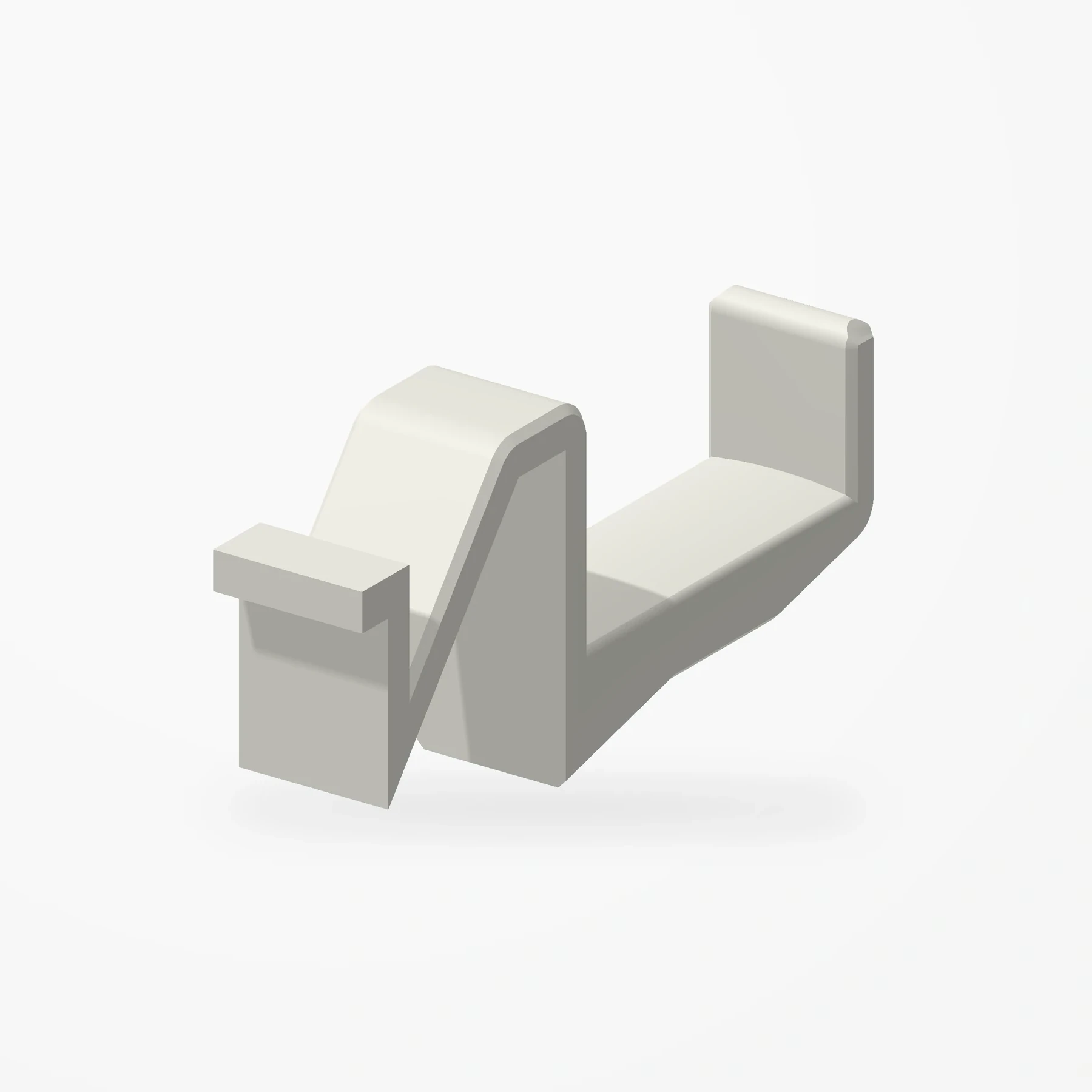
Case-mounted · Three views
Corsair 5000D / 5000X Headphone Holder
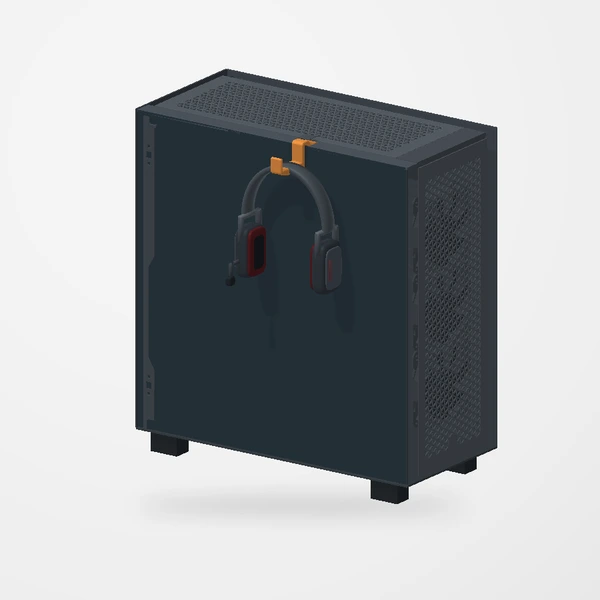
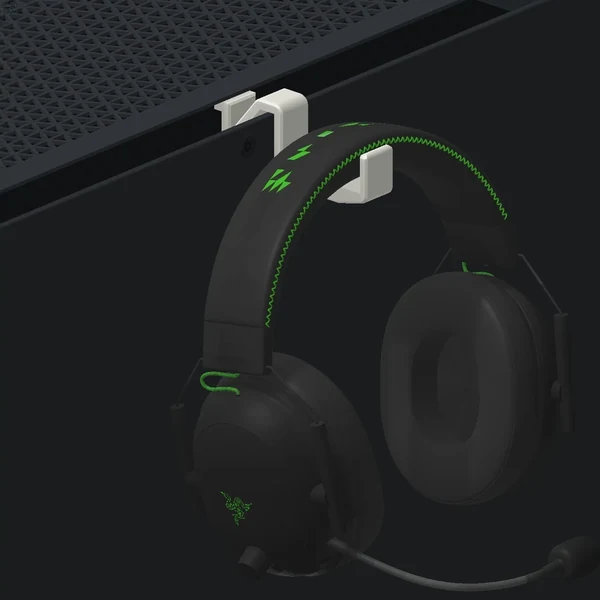
In stockA headphone holder that clips under the edge of the top exhaust grille on a Corsair 5000D or 5000X and hangs down the side panel, keeping your headset close and your desk clear.
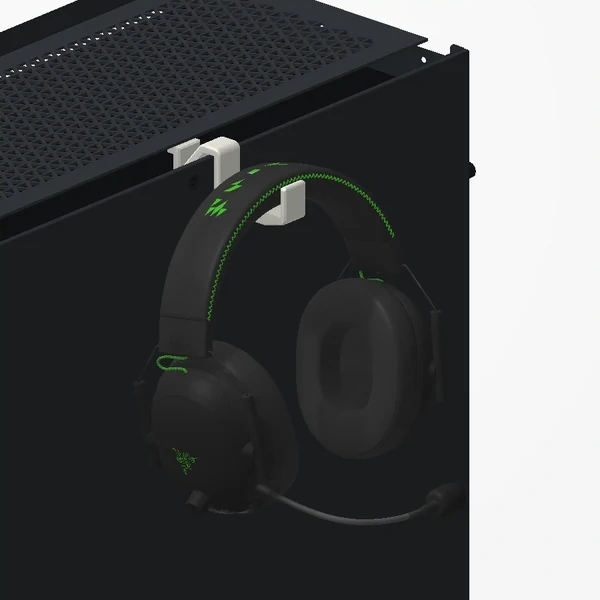
The off-white holder is the product. Its hook slips through the gap beside the top exhaust grille and catches beneath the grille edge, beneath the removable top dust filter. The case and Razer BlackShark V2 headphones are illustrative and are not included. See Etsy for available colors.
Manufactured from premium PETG-HF for thermal resistance and structural durability.
Why it’s designed this way
The case already occupies space next to the desk. A small hook turns its upper edge into a convenient home for headphones.
Before you order
- Designed for the Corsair 5000D / 5000X case family.
- It hooks under the edge of the top grille, beside the removable magnetic top dust filter, and hangs down the side panel.
Setup & use
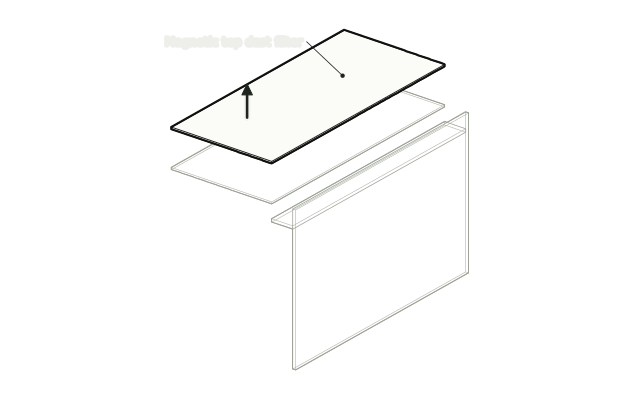 Step 1
Lift off the top dust filter
Lift the magnetic dust filter off the top of the case. The holder can be slid in with it fitted, but it is easiest with the filter off.
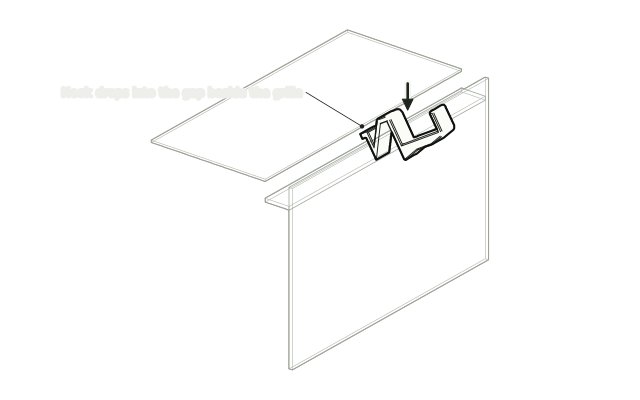 Step 2
Hook it under the grille edge
Drop the hook into the gap beside the top grille so its tab catches under the grille edge.
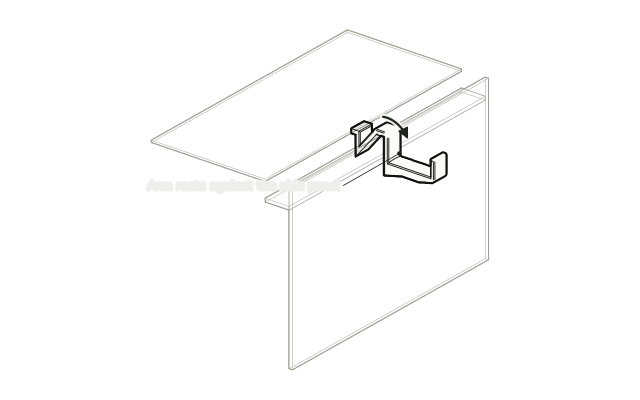 Step 3
Swing it down
Swing the arm down so it rests against the side panel.
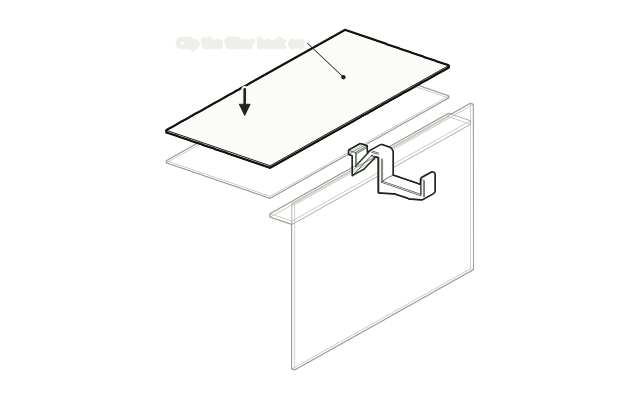 Step 4
Clip the filter back on
Put the dust filter back on top. It holds the hook in place.
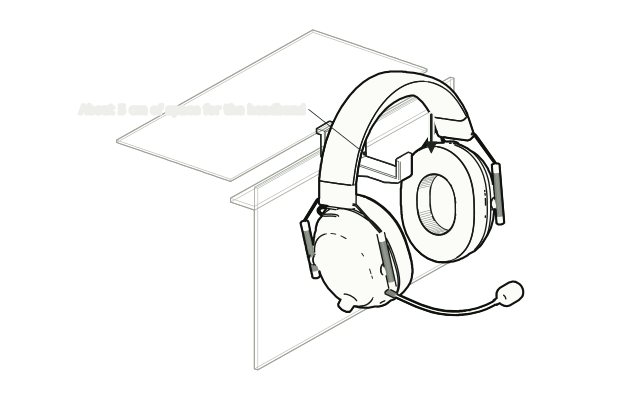 Step 5
Hang your headphones
Rest the headband across the hook. There is about 5 cm of space, enough for most headsets.
Drawn from the product’s 3D models. Cases, desks, devices and other surroundings are illustrative; drawings are not measured plans.
Care & troubleshooting
Wipe with a soft, slightly damp cloth, then dry. Avoid solvents and hot-water cleaning.