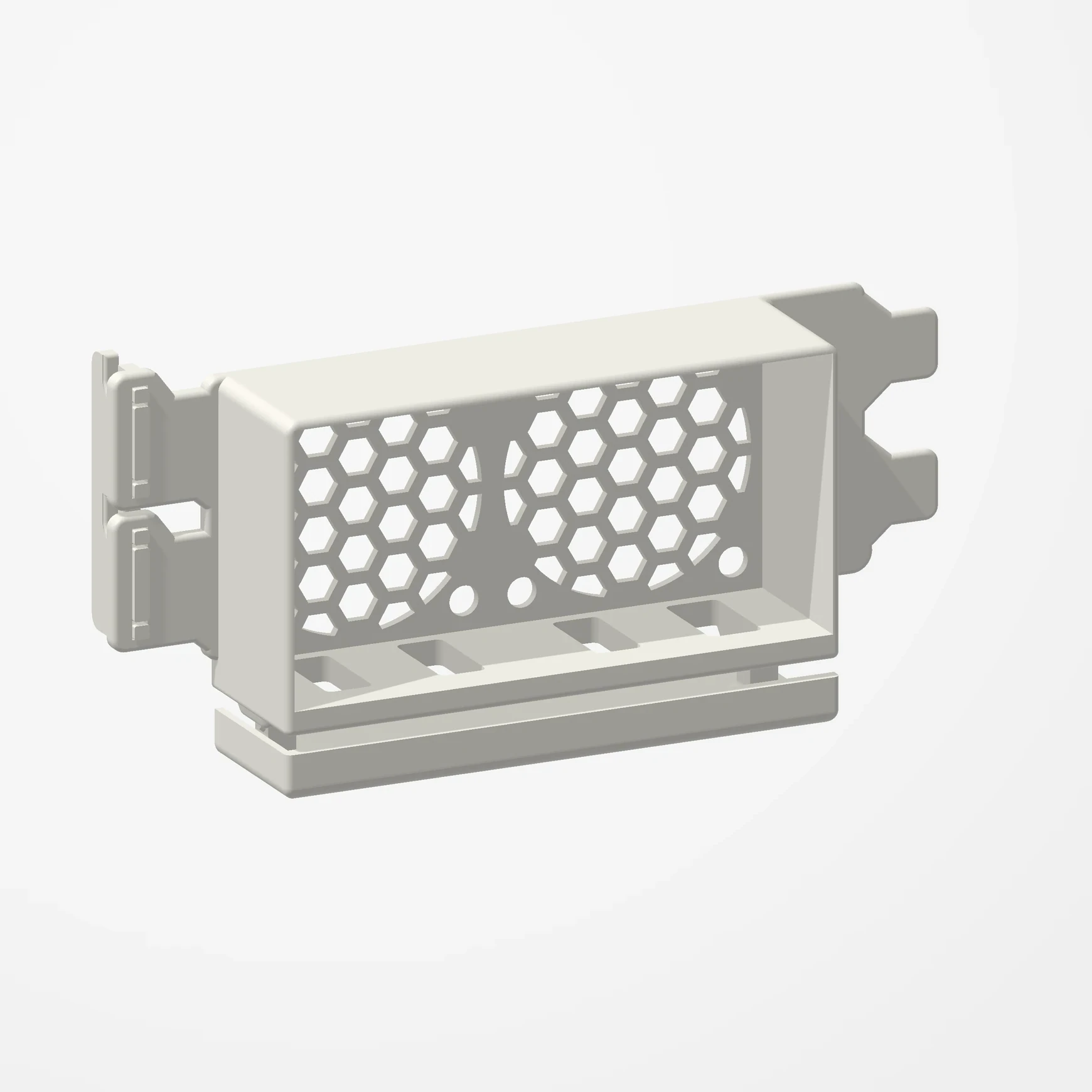
Two 40 mm fans · Two slots
Dual 40 mm PCIe Fan Mount
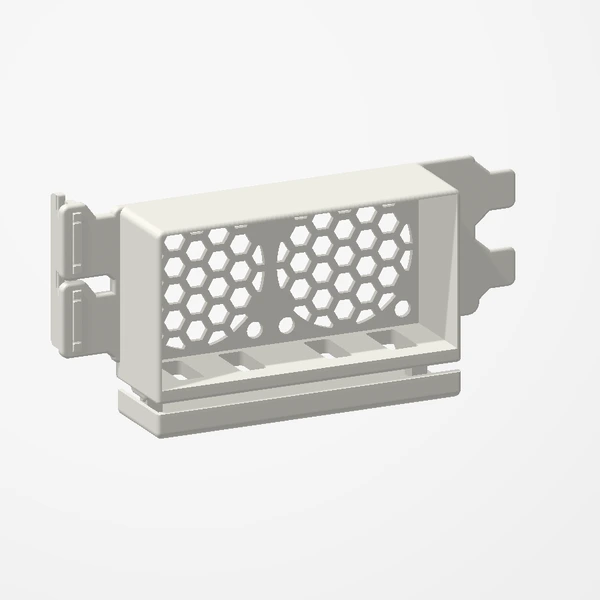
In stockPosition two 40 mm fans side by side near your graphics card to direct airflow where it is needed. Uses 2 free PCIe expansion slots. Fans are not included.
Our tested 2×40 mm configuration reduced GPU temperature by 1.5°C. GPU fan noise also decreased in our test (not measured in dB). Best suited to tighter cases with limited existing airflow. Results vary by case, hardware, fans and test conditions; temperature and noise improvements are not guaranteed. Check fan thickness and clearance around the GPU. Preview airflow is illustrative.
Manufactured from premium PETG-HF for thermal resistance and structural durability.
Why it’s designed this way
Two fans sit side by side to direct airflow beneath the graphics card. The mount creates a dedicated attachment point where the case may not provide one.
From Etsy customers
Customer reviews
3 verified Etsy reviews of this design, with photos shared by the customers themselves.
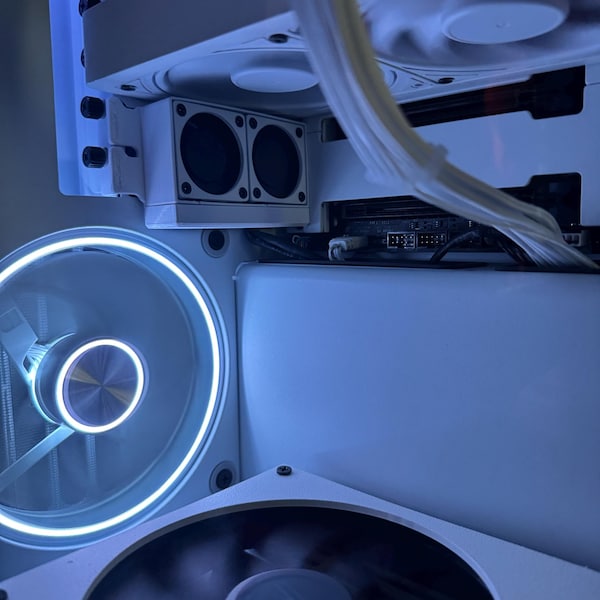
Great 3d print quality and very durable, installation was easy and quick and definitely helped with airflow to my gpu
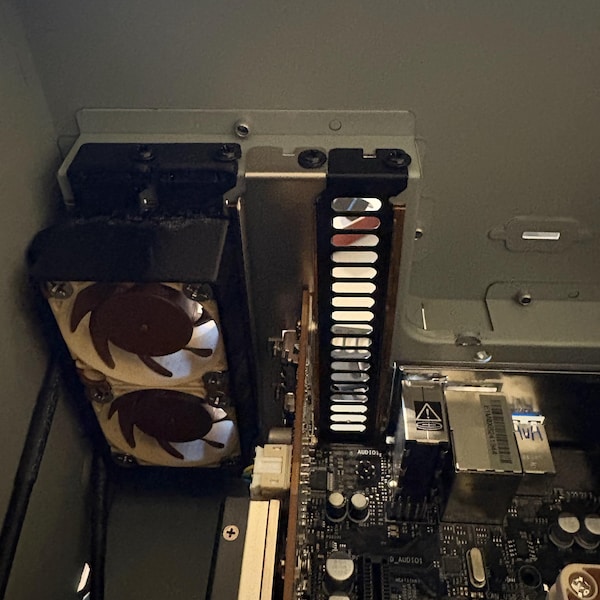
Very cool thing. It worked perfectly
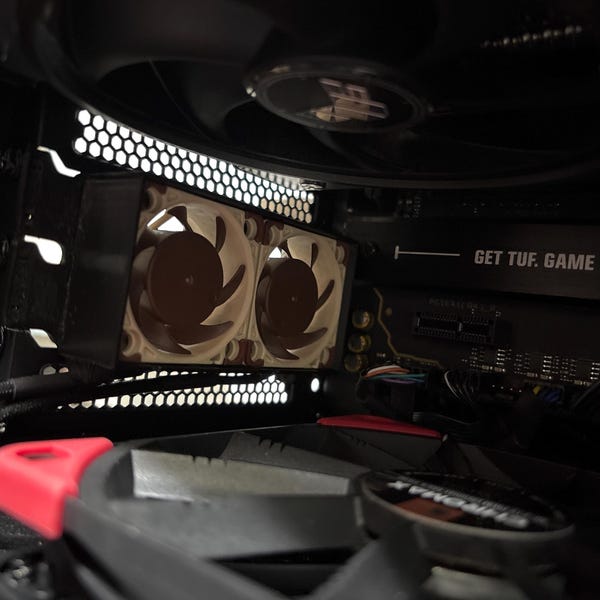
Well made, fans fit perfectly, the seller was very friendly and helpful.
Featured in our PCIe fan test
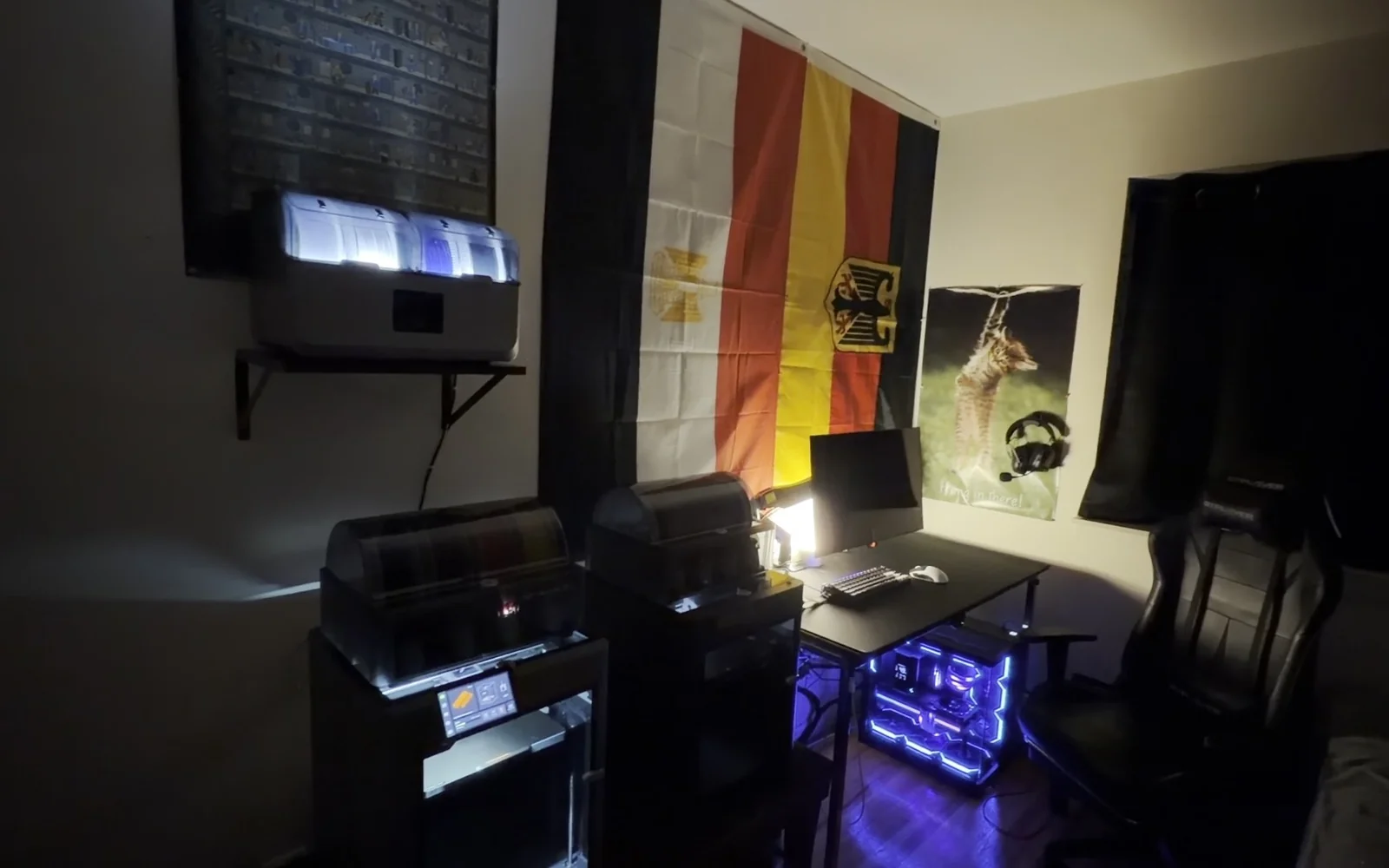
 I Dropped My GPU Temps for Just $0.46. (PCIe Fans 3D Printed Mod)The video shows this mount in a real PC. Tested with two 40 mm fans: GPU temperature 1.5°C lower, with less GPU fan noise (not measured in dB).
Before you order
- Fan configuration: 2 × 40 mm. Fans are not included.
- Requires 2 free expansion-slot positions.
- Check case profile against the listing.
- Measure fan thickness and the full assembly clearance beneath the GPU and around nearby cards/cables. Compare with the listing dimensions.
Setup & use
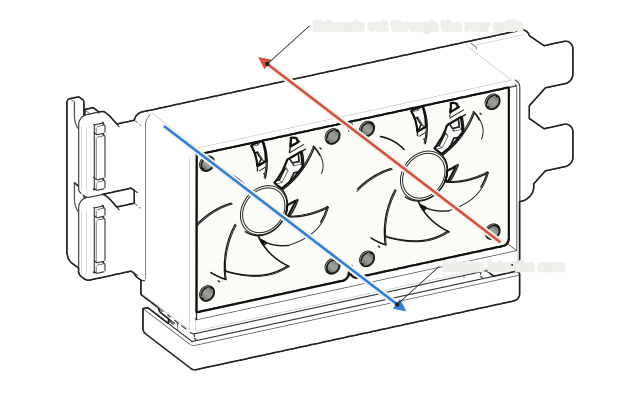 Step 1
Choose intake or exhaust
Decide which way the fans will blow: exhaust pushes warm air out through the rear grille, intake draws cool air in toward the graphics card above.
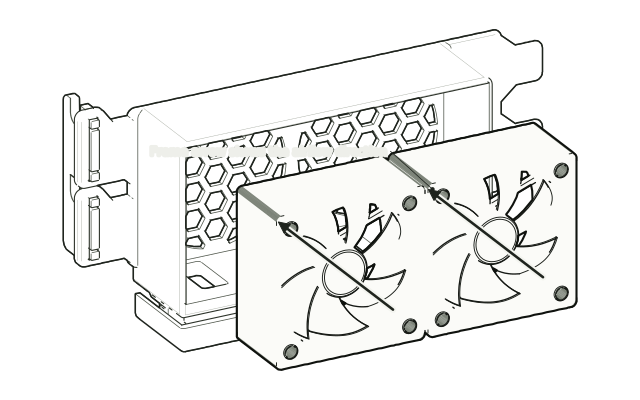 Step 2
Seat the fans
Place the 40 mm fans into the box with the frame arrow pointing the way you chose. Fans are not included.
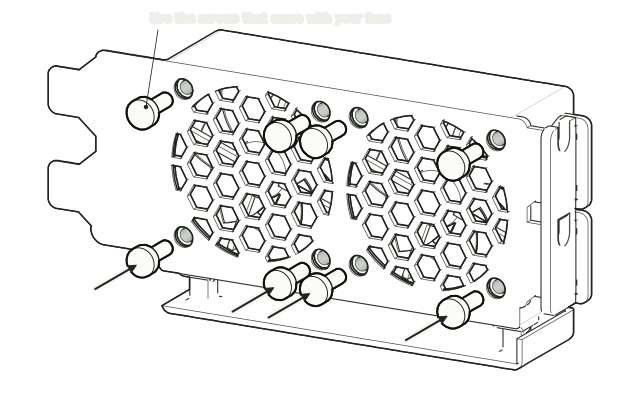 Step 3
Screw them in from the grille side
From the grille side, fix each fan through the four corner holes with the screws (or rubber mounts) that came with the fan. No screws are included.
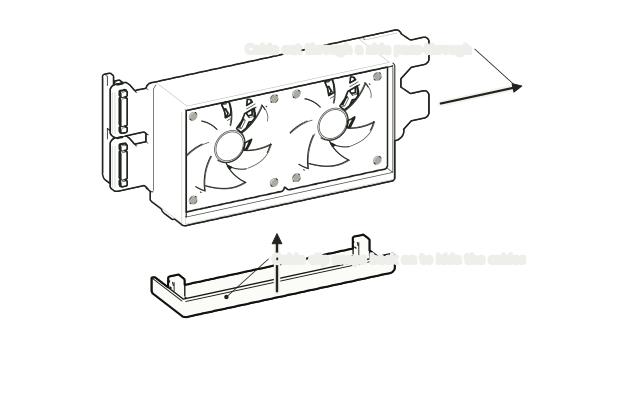 Step 4
Route the cables
Lead each fan cable out through a side pass-through so it stays clear of the blades. Snap the cable clip back on underneath to hide them.
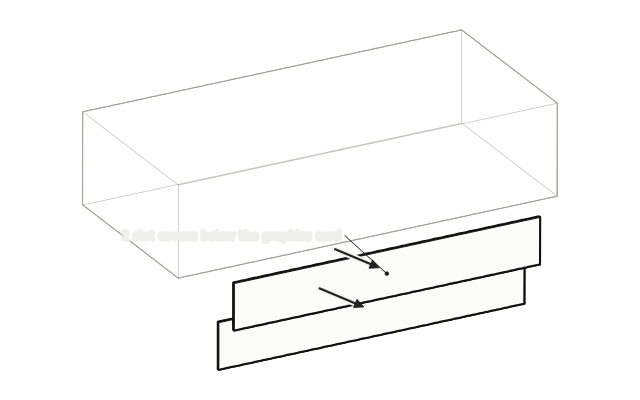 Step 5
Remove the slot covers
Shut down and unplug the PC. Remove the case screws and the 2 slot covers below the graphics card. Keep the screws.
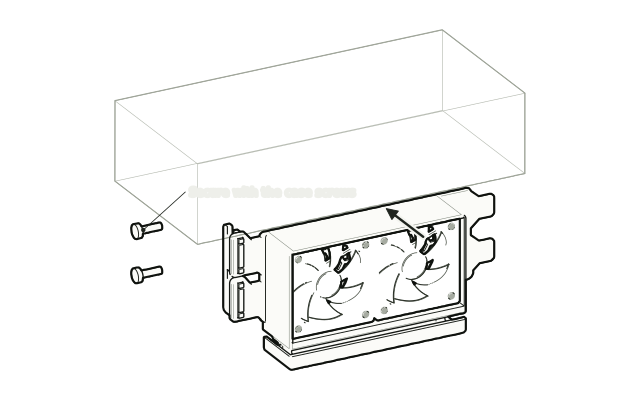 Step 6
Fit it like a card
Slide the mount into the free slots the same way as an expansion card and secure it with the case screws you removed.
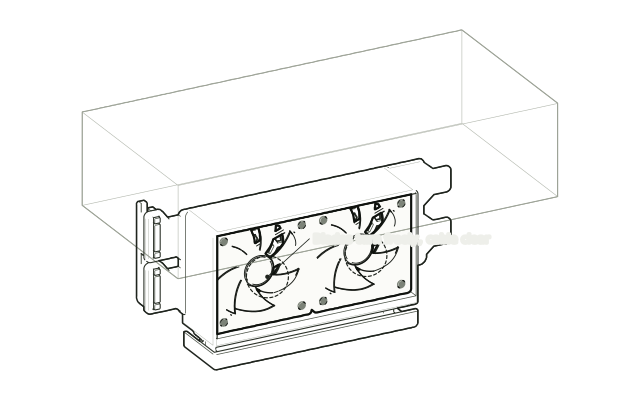 Step 7
Connect and check
Connect each fan to a fan header following its manufacturer’s instructions, check the blades turn freely and nothing touches the graphics card, then power on.
Drawn from the product’s 3D models. Cases, desks, devices and other surroundings are illustrative; drawings are not measured plans.
Care & troubleshooting
Wipe with a soft, slightly damp cloth, then dry. Avoid solvents and hot-water cleaning. If you notice vibration or contact, power down and recheck mounting and cable routing.
From the Workbench
All stories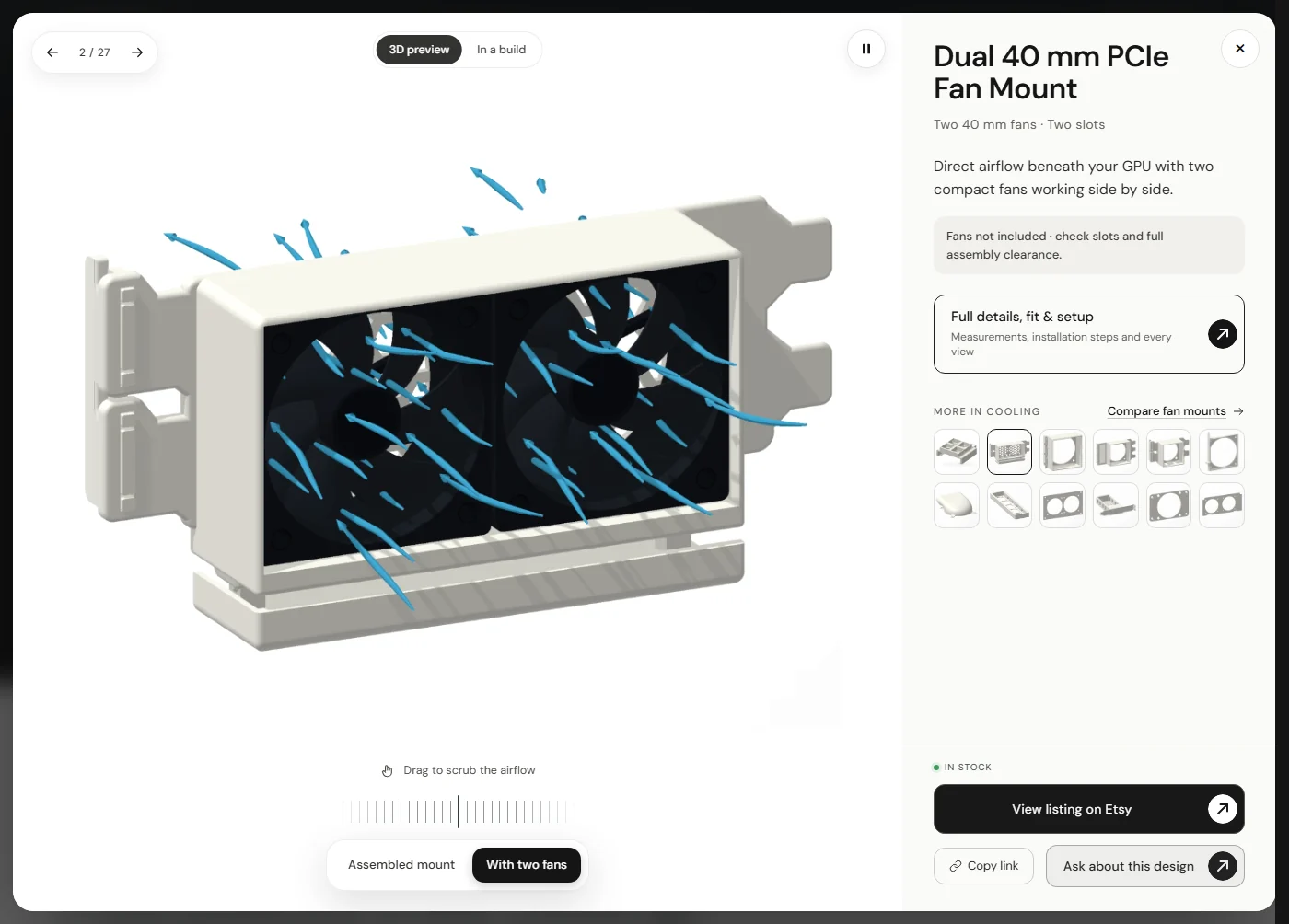
Compare fan mounts
This design beside another PCIe fan mount. Renders are framed individually, not shown at a common scale. Fans are not included.
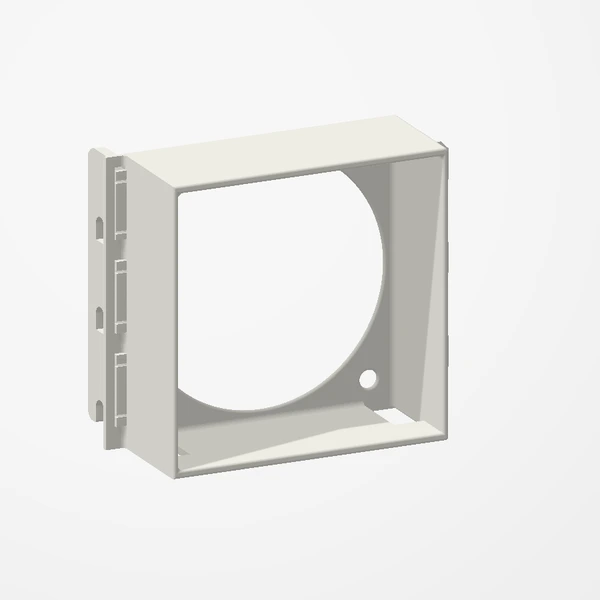
Low-Profile 60 mm PCIe Fan Mount
- Fans
- 1 × 60 mm
- Rear slots
- 3
- Case profile
- Low-profile supported
| Design | Fans | Free slots | Case fit |
|---|---|---|---|
| Low-Profile 40 mm GPU Fan Mount | 1 × 40 mm | 2 | Low-profile supported |
| Dual 40 mm PCIe Fan Mount | 2 × 40 mm | 2 | Check case profile |
| Low-Profile 60 mm PCIe Fan Mount | 1 × 60 mm | 3 | Low-profile supported |
| High-Profile 60 mm PCIe Fan Mount | 1 × 60 mm | 3 | Full-height bracket |
| 120 mm PCIe Fan Mount | 1 × 120 mm | 1 mounting position | Allow space for the entire fan |
Slot count describes the mounting footprint, not the full internal clearance. Check fan thickness, the mount and nearby components against the listing dimensions. Choosing a PCIe fan mount